
In an era where smartphones are the primary gateway to our digital lives, they also represent a high-value target for cybercriminals. Unlike desktop computers, mobile devices often lack robust built-in defenses against sophisticated threats like spyware and banking trojans. These malicious programs can silently track your location, intercept text messages, steal credentials, or drain your battery. The distinction between malware (malicious software) and spyware is crucial: while malware aims to disrupt or damage a device, spyware focuses on covert data collection. Because mobile operating systems like iOS and Android have tightened security over the years, most infections occur through user error rather than system vulnerabilities. By adopting a proactive defense strategy, you can significantly reduce your risk exposure without needing expensive enterprise-grade software.
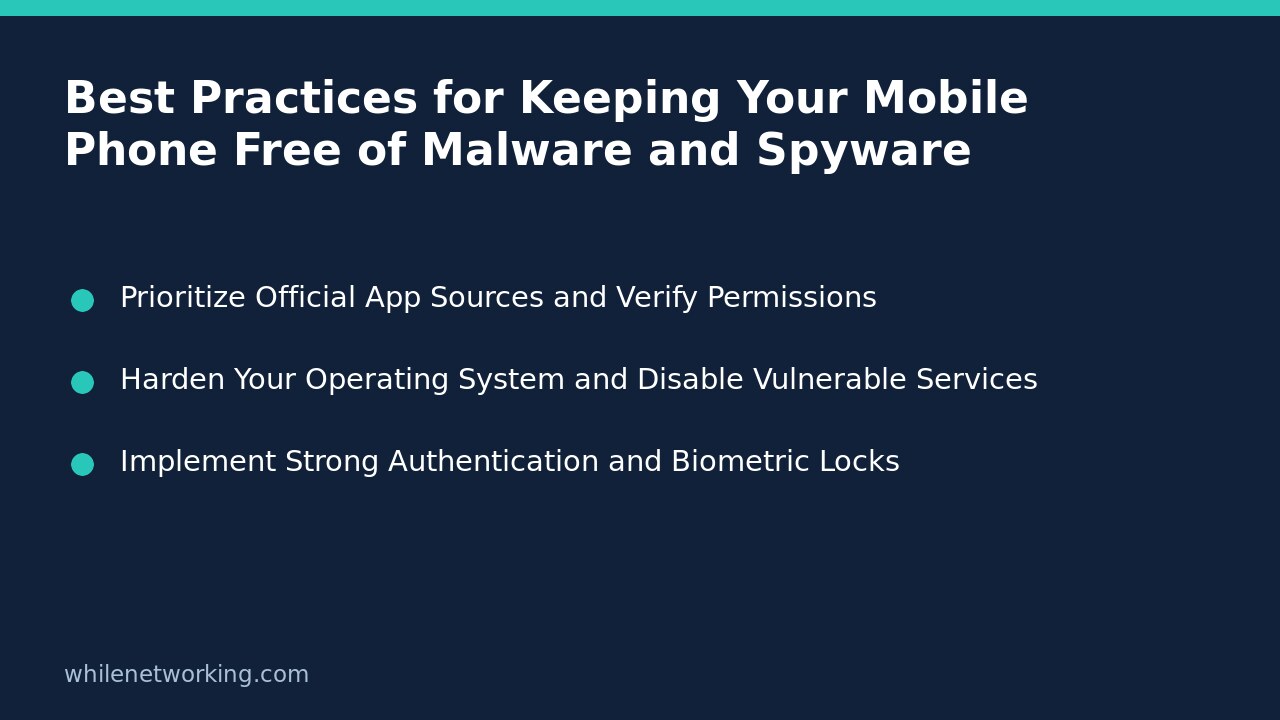
Prioritize Official App Sources and Verify Permissions
The single most effective step in preventing infection is strictly limiting where you download applications. The vast majority of mobile malware originates from unofficial third-party app stores or direct links sent via SMS and social media. These sources often host modified versions of legitimate apps that contain hidden backdoors, or entirely fake apps designed to mimic popular services like WhatsApp, Uber, or banking apps.
To maintain a secure device, you must configure your phone to install apps only from verified sources. On Android devices, navigate to Settings > Security (or Apps > Install unknown apps) and disable the “Install from unknown sources” option for browsers and file managers unless absolutely necessary. iOS users should ensure that “App Store” is the sole source for downloads in their settings. Even when using official stores, always check developer reviews and ratings. Apps with zero stars or recent reports of suspicious behavior should be avoided immediately.
Furthermore, exercise extreme caution regarding app permissions. When installing a new application, scrutinize the requested access rights. A simple flashlight app does not need permission to read your SMS messages or access your contacts list. If an application requests broad permissions that seem unrelated to its core function, it is likely a red flag for spyware. Deny these requests or uninstall the app entirely.
Harden Your Operating System and Disable Vulnerable Services
Mobile operating systems rely on updates to patch security holes that hackers exploit. A common tactic involves targeting older versions of Android or iOS where critical patches have not been applied. Hackers can leverage these unpatched vulnerabilities to install malware remotely, bypassing the need for a user to click a malicious link.
Your first line of defense is ensuring your device is running the latest stable version of its operating system. Enable automatic updates in your settings so that security patches are installed as soon as they become available. Do not delay these updates, even if you have no immediate plans to upgrade your phone; the patching process often closes specific exploits used by spyware campaigns.
Additionally, consider disabling unnecessary services that can be hijacked. Features like USB debugging on Android should remain disabled unless you are actively developing an app or connecting to a trusted development environment. Similarly, ensure that Bluetooth and Wi-Fi Direct are turned off when not in use, as these wireless interfaces can sometimes be used to inject malicious payloads into your device without physical contact.
Implement Strong Authentication and Biometric Locks
Accessing your phone is the first step attackers take once they breach your defenses. If a thief steals your physical device or gains remote access through a vulnerability, weak authentication methods allow them to bypass security layers instantly. This is where biometric locks and strong passcodes become essential.
Replace simple PINs like “1234” or obvious patterns with complex alphanumeric passwords. While iOS and Android have improved password policies, users often settle for short codes that are easily guessable. Combine a long, random passcode with biometric authentication such as Face ID, Touch ID, or Windows Hello. Biometrics add a layer of friction that makes automated attacks significantly harder to execute.
Enabling two-factor authentication (2FA) on your phone’s account ecosystem is also critical. If you have linked your phone number to various services, ensure that SMS-based 2FA is not your only line of defense for those accounts, as malware can intercept SMS messages (known as SIM swapping or SS7 attacks). Instead, use an authenticator app like Google Authenticator or Authy to generate time-based codes. This ensures that even if a spyware program intercepts your texts, the attacker cannot access your critical accounts without the physical device generating the code.
Recognize and Neutralize Phishing Attempts
A significant portion of mobile malware infections begins with social engineering rather than technical exploits. Attackers send SMS messages or emails containing malicious links designed to trick users into downloading an app or entering sensitive information on a fake login page. This tactic is known as phishing.
To protect yourself, adopt a “verify before you click” mindset. If you receive a message from your bank claiming your account is compromised and asking you to click a link to reset your password, do not trust it. Legitimate banks rarely ask for sensitive data via SMS links. Always navigate directly to the official website of the institution by typing the URL into your browser or using their verified app.
Be wary of urgency tactics in messages, such as “Your account will be closed immediately” or “You have won a prize.” These are classic indicators of malicious intent. If you accidentally click a suspicious link, do not enter any personal information. Immediately disconnect from the internet by turning off Wi-Fi and mobile data, then run a scan using your device’s built-in security features or a reputable third-party antivirus solution to detect and remove any potential threat.
Maintain Device Hygiene and Monitor Battery Health
Over time, malware can reside dormant on a device until it is triggered, but signs of infection often manifest as performance issues. One of the earliest indicators of spyware is abnormal battery drain. Malicious processes running in the background constantly communicate with command-and-control servers, which consumes substantial power. If your phone’s battery life drops significantly without a change in usage patterns, investigate which apps are consuming resources.
Regularly review your app usage settings to identify any applications that you cannot recall installing or that show high data usage. On Android, check the “Data Usage” menu; on iOS, use the “Cellular” settings to monitor data consumption by each app. Uninstall any unrecognized applications immediately. Additionally, clear your browser cache and history regularly to remove lingering tracking scripts that may have been injected into your browsing session.
Real-World Checklist: The 5-Minute Daily Security Audit
To integrate these practices into your routine, consider performing a quick security audit once a week using this checklist:
- Check for Updates: Tap the Settings icon and look for pending OS or app updates. Install them immediately.
- Review Installed Apps: Scroll through your app list. If you see an app you don’t recognize, uninstall it right away.
- Inspect Permissions: Open the settings of recently updated apps and ensure they haven’t gained new, suspicious permissions (e.g., a game suddenly requesting microphone access).
- Verify Battery Usage: Check battery statistics to ensure no single app is draining power disproportionately.
- Clear Browser Data: Clear your browser’s cache, cookies, and history to remove potential tracking scripts.
Conclusion: A Layered Approach to Mobile Security
Keeping a mobile phone free of malware and spyware requires a layered approach that combines technical vigilance with behavioral caution. There is no single “magic bullet” software that can guarantee absolute safety; instead, security relies on minimizing the attack surface by restricting app sources, maintaining up-to-date operating systems, enforcing strong authentication, and recognizing social engineering attempts. By following these best practices, you create an environment where malware struggles to survive and thrive. Remember that terms, availability, and specific security features depend heavily on your device manufacturer, carrier policies, and local jurisdiction laws. Always verify the authenticity of any security claims or tools before deploying them on your personal device.