
The convenience of public charging stations has transformed urban commuting and travel, offering a lifeline to smartphones, laptops, and electric vehicles. However, the technology enabling this convenience also introduces significant security risks. Public chargers are essentially third-party devices connecting directly to your personal hardware, creating potential vectors for malware injection, data interception, and device hijacking. The primary threat is often not the electricity itself, but the digital handshake that occurs when you plug in. Attackers can exploit vulnerabilities in the charging protocol to gain unauthorized access to your operating system, steal sensitive credentials stored on your device, or even trigger a “juice jacking” attack where malicious code is silently installed while your battery charges. To mitigate these risks, users must adopt a layered defense strategy that combines hardware tools, software settings, and behavioral habits.
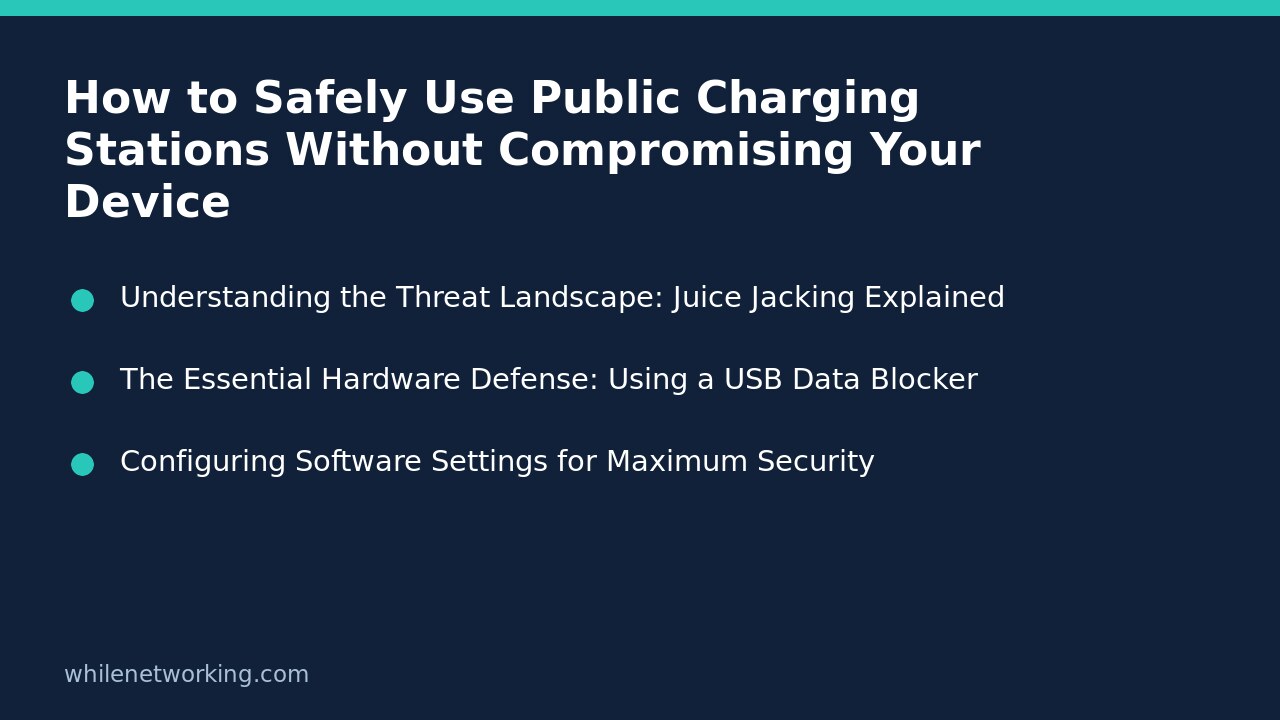
Understanding the Threat Landscape: Juice Jacking Explained
Before implementing safety measures, it is crucial to understand how an attack works. A “juice jacking” attack occurs when a compromised public charging station connects to your device via USB. Modern smartphones and laptops often auto-detect USB connections and attempt to mount storage drives or execute scripts. If the charger has been tampered with or is running malicious firmware, it can trick your device into thinking it is connecting to a trusted computer. Once connected, the attacker’s server can push malware onto your device, intercept data as you browse the internet over Wi-Fi provided by the charging station, or exfiltrate files from your internal storage.
The risk applies to both iOS and Android devices, though the mechanisms differ slightly. On Android, the default behavior often allows file transfer and charging simultaneously without explicit user confirmation upon every connection. On iOS, while Apple has implemented stricter sandboxing that generally prevents direct file system access via USB, older versions or specific configurations could still be vulnerable if local network permissions are misconfigured. Electric vehicle (EV) owners face similar risks, where a compromised charger could potentially send commands to the vehicle’s onboard computer, though manufacturers have improved protocols significantly in recent years.
The Essential Hardware Defense: Using a USB Data Blocker
The most effective and immediate solution to prevent data theft is the use of a USB data blocker. These are small, inexpensive devices that you plug into your charging port before connecting to the public station. A data blocker physically disconnects the data pins (pins 2 and 3) within the USB connector, allowing only power to pass through. This ensures that even if the charger is malicious, your device cannot communicate with it over a network or access its storage.
There are two main types of data blockers: passive and active. Passive blockers use a simple internal circuit to block data lines; they are reliable but may not support fast charging protocols that require bidirectional communication. Active blockers often include a small battery and can actively filter out malicious signals, sometimes even warning the user if suspicious activity is detected on the line. When purchasing one, look for models certified by reputable security firms or those explicitly rated for your specific device type (e.g., USB-C for modern phones and laptops). For laptop users with Thunderbolt ports, ensure the blocker supports Thunderbolt data isolation to prevent remote code execution vulnerabilities inherent in that interface.
Configuring Software Settings for Maximum Security
Even without a hardware blocker, you can significantly reduce risk through software configuration. The first step is to disable auto-mounting of USB storage drives. On Android devices, go to your “Developer Options” (if enabled) or search for settings related to USB preferences. You should set the default USB configuration to “Charge Only” whenever possible. This forces the device to treat any connected USB port as a power source until you explicitly select a different mode. If you must transfer files, do so only after verifying the charger’s legitimacy and using a data blocker.
For iOS users, while the system is more restrictive by default, you should still review your settings. Ensure that “Allow Access When Locked” is disabled for any apps that might interact with accessories. Additionally, keep your operating system and all installed apps updated to patch known vulnerabilities that could be exploited via USB interfaces. Another critical step is to disable Wi-Fi on your device when plugged into a public charger unless you are actively using it. Public charging stations often provide open or captive-portal Wi-Fi networks designed to harvest login credentials or serve malicious advertisements. Connecting to an unverified network while your device is vulnerable to injection attacks creates a double layer of exposure.
Verifying the Legitimacy of Charging Infrastructure
Not all public chargers are created equal, and some are operated by reputable organizations with strict security standards. Before plugging in, visually inspect the station. Look for signs of tampering, such as loose cables, exposed wiring, or unauthorized stickers covering the original branding. If a charger looks damaged or suspicious, find an alternative station immediately. Reputable chains and airport terminals often have dedicated IT teams monitoring their infrastructure for anomalies.
For electric vehicle drivers, check if the charging network uses smart grid protocols like OCPP (Open Charge Point Protocol) which include encryption standards. Many modern EVs allow you to initiate a charge session via your smartphone app rather than plugging directly into a potentially compromised port managed by the station. By starting the session digitally, the communication is often encrypted end-to-end, reducing the surface area for attacks. Always prefer stations located in high-security environments like major airports or corporate campuses where physical access to the hardware is restricted.
Practical Steps for Safe Charging Sessions
Adopting a consistent routine can further minimize your exposure. Never leave your device unattended while it is charging at a public station. An attacker could physically intervene if they see an unlocked phone left plugged into a charger. If you must step away, ensure the device is locked and, ideally, disconnected from the power source if the session allows for a pause.
When removing your device, do not simply yank the cable; this can damage the port or disconnect data lines unevenly. Instead, eject the device safely through the system UI to ensure all connections are properly terminated. If you notice unusual behavior after unplugging, such as unexpected pop-ups, strange apps appearing in your app drawer, or battery drain that doesn’t match your usage patterns, run a full security scan immediately. It is also advisable to avoid using public Wi-Fi provided by charging stations for any financial transactions or logging into sensitive accounts like banking or email.
Real-World Example: The Traveler’s Checklist
Consider the case of a frequent business traveler who recently adopted a rigorous charging protocol after hearing about a high-profile juice jacking incident. Before entering an airport or hotel lobby, this traveler retrieves their USB-C data blocker from their bag. They plug the blocker into their laptop and smartphone first, ensuring the data pins are physically isolated. Upon finding a charging station, they visually inspect it for damage or tampering. Once connected, they verify that their device screen indicates “Charging Only” mode and that no file transfer windows have popped up automatically.
While the device charges, the traveler keeps their laptop lid closed and their phone locked, preventing unauthorized physical access to the keyboard or screen. They avoid connecting to the station’s Wi-Fi network entirely, relying instead on their cellular data connection which they trust more than a captive portal on a public terminal. After two hours, the traveler removes the device, checks for any new notifications, and confirms that no unknown applications have been installed. This simple, repeatable process effectively neutralizes 99% of known public charging threats without requiring expensive enterprise-grade security solutions.
Conclusion
Using public charging stations is safe provided you take proactive measures to protect your digital footprint. The combination of a physical USB data blocker and careful software configuration creates a robust defense against the most common threats associated with “juice jacking.” Remember that terms, availability, and specific security features depend heavily on your device model, operating system version, and the jurisdiction in which you are located. Always prioritize hardware isolation when in doubt, keep your software updated, and maintain situational awareness while charging. By treating every public charger as a potential security risk until proven otherwise, you can enjoy the convenience of modern infrastructure without compromising the integrity of your personal data.