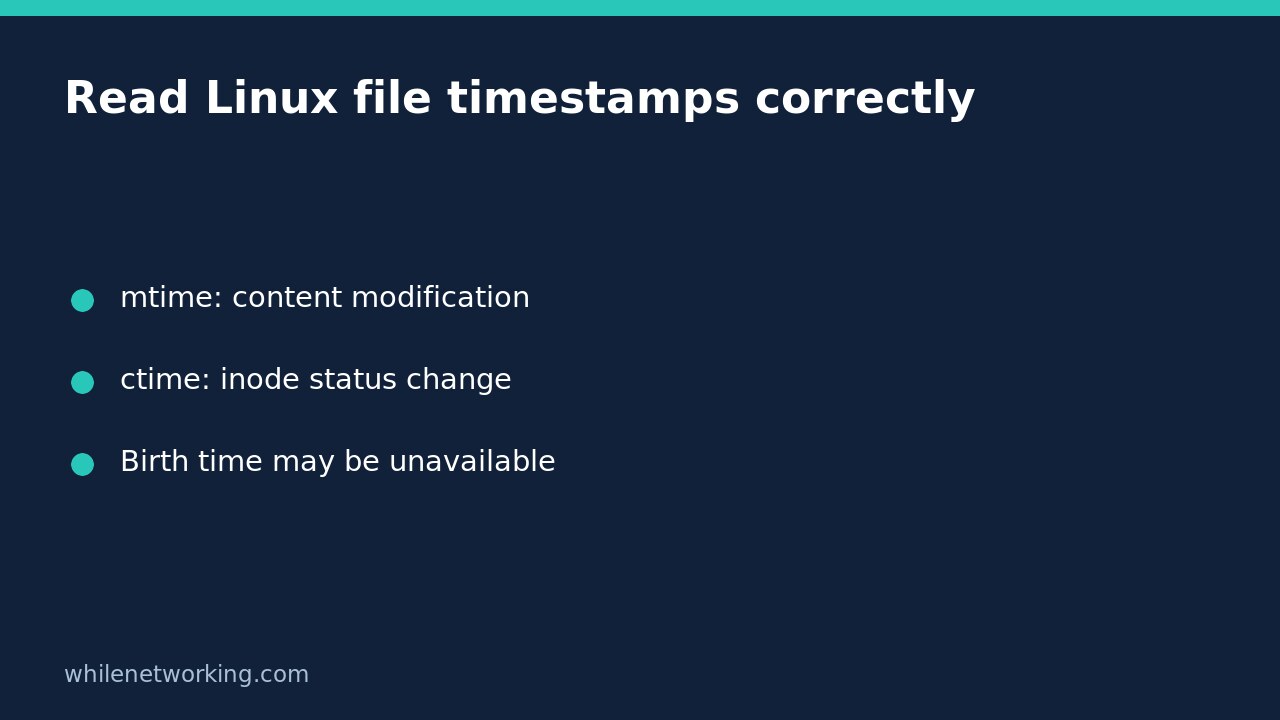

On Linux, ctime means last inode status change, not creation time. A permissions change can advance ctime without changing the file’s contents or its modification time. Use labelled output from GNU stat before interpreting an unfamiliar timestamp as proof that a document was created or edited.
This distinction is useful when a configuration file has an old modification date but a recent status-change date. Those observations are not inherently contradictory. They describe different attributes, and neither timestamp identifies who performed an operation.
Display modification, change and birth times separately
For an existing file, replace the quoted example path with the exact pathname you want to inspect:
stat --format='File: %n | Modified: %y | Changed: %z | Birth: %w' -- '/path/to/file'This is GNU stat syntax, intended for Linux systems with coreutils; do not assume the same flags work with the macOS utility. Quoting keeps spaces together, while the double dash ends option parsing. If the command reports a missing file or permission error, resolve that inspection problem before interpreting any timestamps.
- Modified, %y: last data-modification time, such as a write to a regular file.
- Changed, %z: last inode status-change time, including writes and metadata changes such as mode or owner changes.
- Birth, %w: creation time when available; GNU stat prints a dash if unknown.
An unknown birth time does not mean the file has never been created. It means this query did not return that information. Also, GNU stat normally inspects a symbolic link itself; explicitly choosing to follow a link changes which object you inspect. Confirm the object before comparing results.
Demonstrate a metadata-only change in a disposable directory
Run this complete block in Bash. It creates one temporary text file, records timestamps, changes only that test file’s permissions, and removes the temporary directory when the subshell exits. Do not replace the temporary path with a production file.
(
  set -eu
  work=$(mktemp -d)
  trap 'rm -rf -- "$work"' EXIT
  printf '%s\n' 'timestamp demo' > "$work/demo.txt"
  chmod 600 -- "$work/demo.txt"
  printf '%s\n' 'Before permission change:'
  stat --format='mode=%a modified=%y changed=%z' -- "$work/demo.txt"
  sleep 2
  chmod 400 -- "$work/demo.txt"
  printf '%s\n' 'After permission change:'
  stat --format='mode=%a modified=%y changed=%z' -- "$work/demo.txt"
)
On a typical local Linux filesystem, the second line of metadata shows mode 400 instead of 600, a later change time, and the same modification time. The short pause helps make the difference visible; actual timestamp precision and filesystem behaviour still matter. The file’s text is not rewritten by the permission change. The initial chmod establishes a known starting mode rather than relying on your shell’s umask.
The cleanup deletes only the directory returned by mktemp in this subshell. The example does not alter an existing document or require root. If a command fails, retain the error and investigate the test environment rather than making real files more permissive.
Do not turn timestamps into an unsupported history
A recent ctime can be consistent with a content write, permission change, ownership change, or another inode-status update. It is not a complete operation log. Conversely, an old mtime does not independently prove that the current bytes are original or trustworthy. Timestamp-setting operations and file-copy workflows can affect the dates you see.
Access time is another field, not a reliable “last person who opened this” record. The Linux inode documentation describes mount options and access methods that may suppress or defer access-time updates. Avoid reading a single access timestamp as a complete activity history.
For directories, adding or removing entries can update the directory’s modification time; that does not mean every file inside was edited. Keep the inspected object, operation and claimed conclusion aligned.
Capture a useful support record
- Record the exact pathname and whether you inspected a link or its target.
- Keep the labelled stat output, collection time and timezone.
- Compare the appropriate field: content modification and inode status change answer different questions.
- Use application logs, deployment records or approved audit evidence to investigate an unexplained change.
- Do not reset timestamps or change permissions on the original simply to make the dates agree.
If your investigation also involves a vanished log that still consumes storage, see inspecting open descriptors after a Linux log is deleted. That addresses retained open files, not timestamp provenance.
Brief questions
Can I substitute ctime when birth time is missing? No. They represent different events. Report birth time as unavailable rather than relabelling status-change time.
Is this a forensic authenticity check? No. It is a practical metadata inspection. Preserve evidence and follow your incident-response process when authenticity or deliberate tampering is at issue.
Sources: Linux inode timestamp definitions and the GNU stat command reference.
Safety: This tutorial is for educational purposes. Test carefully before production use. The site owner is not responsible for misuse, damage, data loss, or production issues.